
AI humming to music
Hum it.
We'll help make it a song.
Record a hum. AI turns it into an editable melody, backing tracks, and stems.
Free to try · Nothing to install · Works in your browser
Hum for 3 seconds. Hear it back.
Every melody starts with a sound
Hum a few clear notes in a quiet place. Tap again to finish, or stop automatically after 3 seconds.
Fix any note
Off-key? Drag it back. Change instruments, rhythm, and tempo right in the browser.
Let AI arrange it
Tell the AI assistant what you have in mind: a piano backing, a little guitar, or a lighter rhythm. Shape the arrangement around your melody.
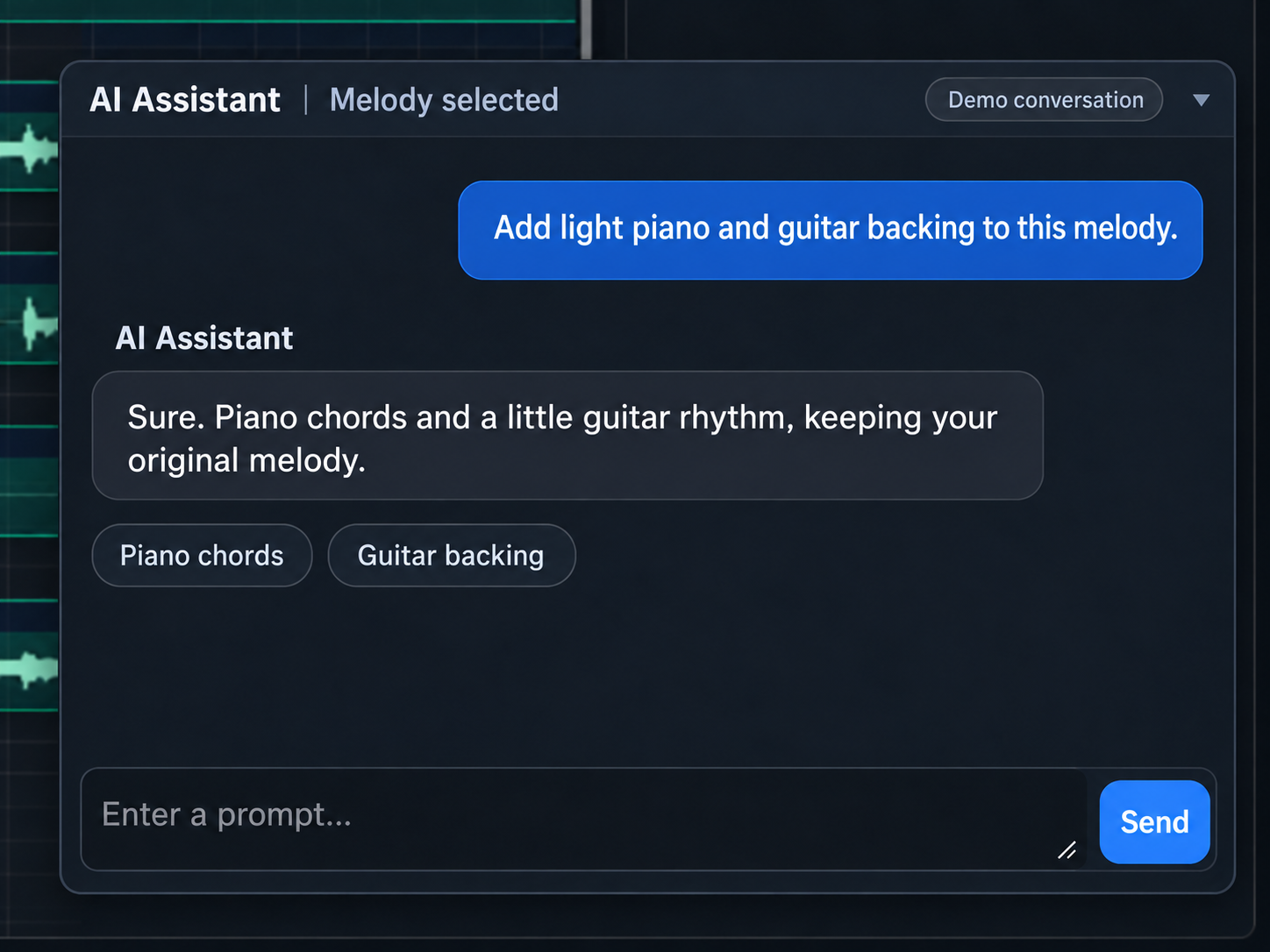
Split any song into stems
Separate vocals, drums, bass, and other instruments, then edit each track on its own.
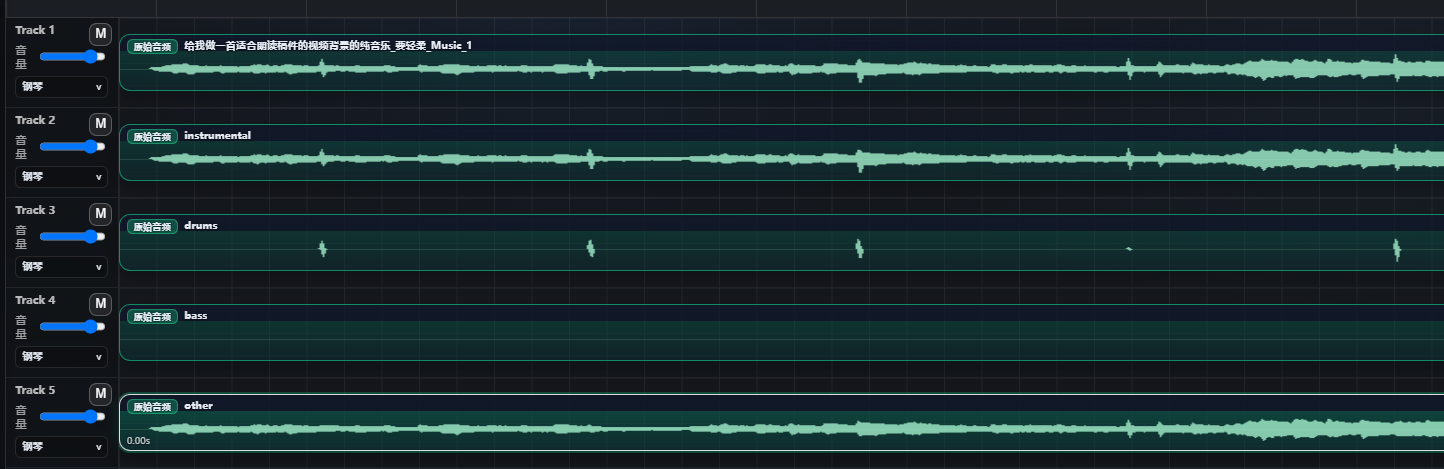
A real project in our editor · Scroll sideways to explore the waveforms
Three steps from idea to track
Hum it
Hum 10–30 seconds into your mic, or upload a recording.
See the notes
AI finds the pitch and rhythm and writes notes you can edit.
Make it a song
Add backing, split stems, and export your track.
Made for the tune stuck in your head
- Song demos
- Short-video music
- Game themes
- Music class
- Birthday songs
Before your first song
Do I need to know music theory?
No. Hum into your mic and Hum2Song writes notes you can review and edit.
Can I turn humming into MIDI?
Yes. Your humming becomes editable notes. Change instruments and export as MIDI or audio.
Is it free?
You can try it free. Paid credit packs are coming soon.